Add the schedule
Take a photo or choose the screenshot the coach sent. Dense season schedules and grid calendars are supported.
 Download for iPhone
For busy sports families
Haven is an iPhone family calendar for sports families. It can turn a team schedule screenshot into events, assign the right kids, surface conflicts, keep gear with each event, and remind you when it is time to leave.
The coach posts a screenshot in GroupMe. A tournament time changes in a text. The field is listed as “Grand Park, Field 2.” Another child has practice at the same time. A normal calendar can hold the final events, but one parent still has to translate everything and work out the rides.
From team message to family plan
Haven reads the dates and details, then lets you check the work before anything is saved.
Take a photo or choose the screenshot the coach sent. Dense season schedules and grid calendars are supported.
Select the practices and games you need, check dates and locations, and assign the right child before saving.
The schedule can now help with conflicts, rides, leave times, checklists, briefings, and questions about the season.
Game-day details
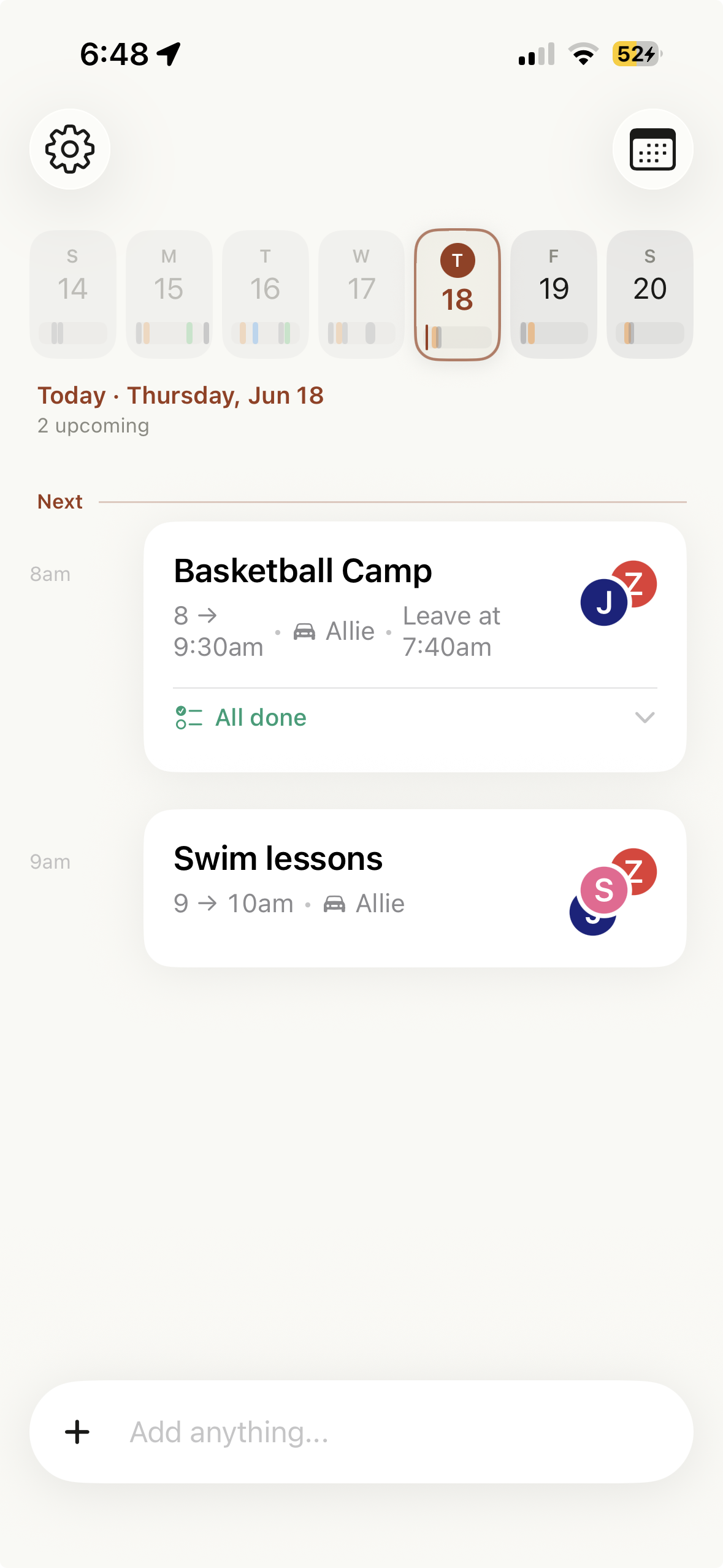
Assign the child who is playing and the parent who is driving. Keep the park in the location field and “Field 2” in the notes. Add cleats, water, or folding chairs to an event checklist. For weekly practice, that checklist can recur with the event.
When plans overlap, Haven can flag a real conflict involving the same child or driver. When it is almost time to go, a leave alert can include the things you meant to bring.
Need the season in a simpler form? Ask, “Show me Jed’s soccer schedule.” A schedule returned by Haven can be shared as plain text through the iPhone share sheet.
Best for
See practices, games, lessons, and school events together without losing whose event is whose.
Start with the screenshot you already have instead of typing a season one game at a time.
Put the responsible parent on the event so the answer does not live in a separate text thread.
Capabilities that matter here
An honest fit
Keep solving the same problem
Questions sports parents ask
Yes. In Haven, you can take or choose a photo of a team schedule, review the events Haven finds, assign the right children, and save the selected events to your family calendar.
Yes. Haven supports recurring events as well as one-time games, tournaments, camps, and other dated events.
Yes. When an event has a location and you add your home address, Haven can estimate the drive with Apple Maps and send a leave-time alert. Haven does not need to continuously track your location.
Yes. Haven can share and sync the family calendar with an invited partner through iCloud. Children can be assigned to events with their own profiles.
Start with the next team screenshot. Review it, assign the right child, and let the schedule become useful.
Download Haven on the App Store