Save your starting point
Add a home address in Haven’s settings so the app has a clear place to calculate from.
 Download for iPhone
Know when it’s time to leave
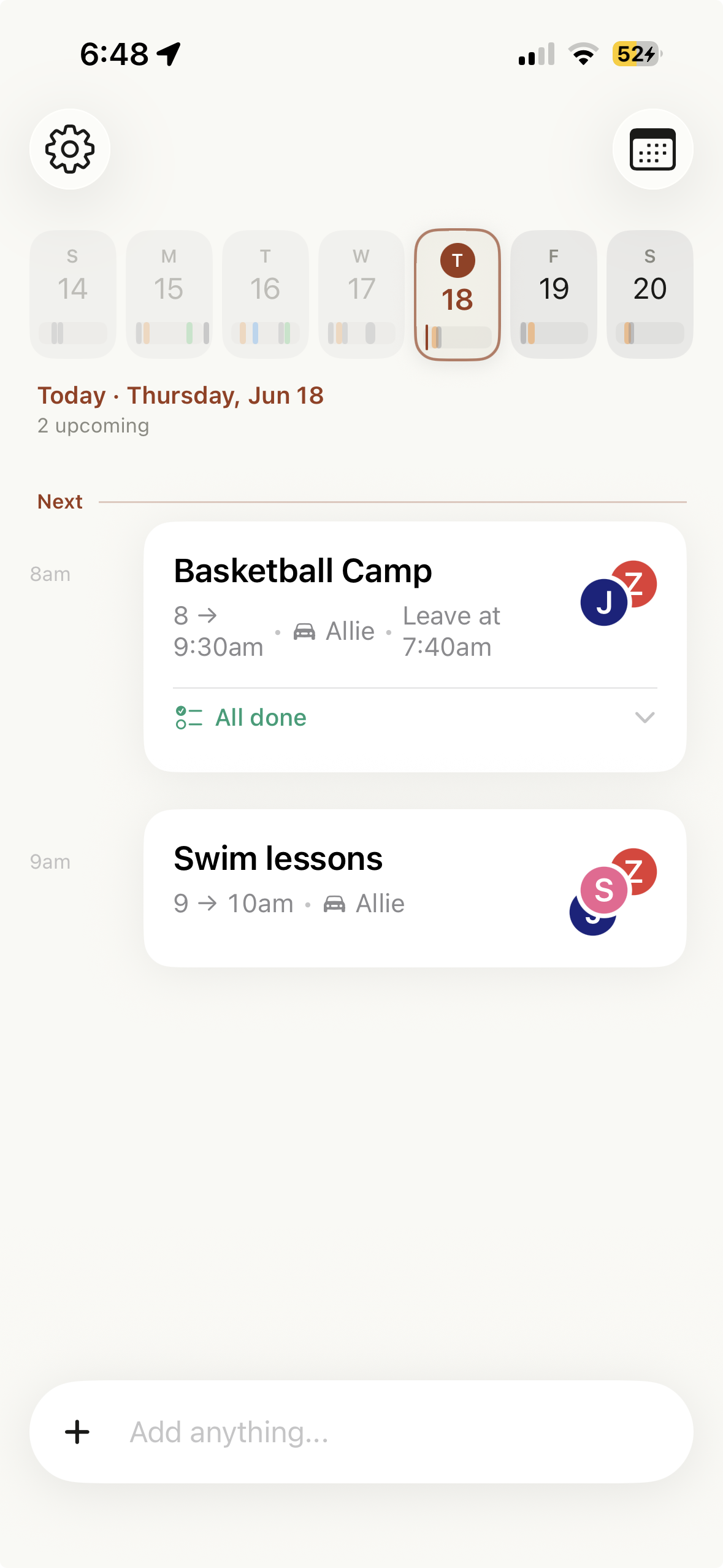
Haven can estimate when your family should leave by using the event location, your saved home address, Apple Maps travel time, and an optional arrival buffer. It does not continuously track where you are.
The gym is thirty minutes away in current traffic. The coach wants everyone there ten minutes early. One child still needs shoes and water. A normal event alert at 6:00 is information arriving after it stopped being useful.
Home + destination + drive
You provide the places. Haven uses the event timing and an Apple Maps estimate to work backward.
Add a home address in Haven’s settings so the app has a clear place to calculate from.
Keep the venue in the location field. Specific details such as “Field 2” can stay in the notes without confusing the map search.
Haven estimates the drive, accounts for how early you want to arrive, and schedules a leave-time alert.
One event, useful logistics
A leave time works better when the event also says who is going and who is driving. If another event needs the same driver, Haven can surface that conflict before departure.
The alert can include unfinished checklist items, so “cleats, water, folding chair” appears when everyone is actually getting out the door. For the other end of the event, you can set a pickup reminder for a chosen number of minutes before it finishes.
Privacy distinction
Haven estimates departure from the home address you save to the location on the event. Apple Maps provides the travel-time estimate, which Haven can refine before the alert. Haven does not need to follow your location throughout the day to do this.
Best for
Locations, arrival buffers, gear, and changing drive times matter as much as the first whistle.
Use a leave alert for the trip there and a separate reminder before the event ends.
Assignments and conflict detection help when the same parent cannot drive to both events.
An honest fit
Connect the rest of the plan
Bring games, recurring practices, rides, locations, and gear together.
Start the day with the family’s first events and real schedule conflicts.
See how reminders and shared context reduce the calendar person’s work.
Questions about departure alerts
Yes. Add your home address and an event location, and Haven can use Apple Maps travel time plus any arrival buffer to estimate a leave time.
No. Haven’s leave estimate is based on the home address you save, the event location, and Apple Maps travel time. It does not require continuous location tracking.
Yes. A leave-time alert can include incomplete items from that event’s checklist.
Yes. Haven supports a pickup reminder set for a chosen number of minutes before an event ends.
Put the place, people, and preparation on the event. Haven can help with the timing.
Download Haven on the App Store